Download the lecture slides for this module using this link.
In Module B.1 we looked at the hardware side of running AI: how a generic computer is put together, why that design struggles with AI workloads, and what kinds of accelerators have been built to bridge the gap.
The next question is how we actually get our software running on all that hardware.
Recall the AI API server we built in Module A.4.
It runs on your machine because you spent a few hours setting up a Python environment, installing FastAPI, PyTorch, torchvision, and possibly the right drivers if you have a GPU.
If you want a teammate to run the same server, they would have to repeat the entire setup, and the chance of someone hitting a version conflict or a missing system library is uncomfortably high.
Now imagine running the same server on a hundred machines in a data center, each with a slightly different operating system or hardware setup.
Saying it works on my machine is not going to be very helpful.
Download the lecture slides for this module using this link.
In the introduction to Part B, we noticed that our small AI API server gets noticeably slow once we plug in heavier models, and we wondered how companies like OpenAI and Google can serve much larger models to millions of users at once.
Both observations come back to hardware.
To understand why a laptop struggles where a data center does not, we first need to look at how a computer is actually put together, and then at how that design has been adapted for AI workloads.
Everything we built in Part A is software, and software needs hardware to run on.
In the meantime, vendors love to slap "AI" onto every new device.
Marketing pages keep talking about "AI computers" and "AI-ready" laptops as if a new kind of machine has been invented just for the hype.
The reality is much less dramatic.
In 1945, the Hungarian-American mathematician John von Neumann sketched a design that would become the basis for almost every general-purpose computer built since.
Eighty years later, our smartphones, gaming PCs, the laptop you are reading this on, and even those new "AI computers" all still follow the same design.
The hardware has gotten dramatically faster, smaller, and cheaper, but the basic recipe has not changed.
With Part A complete, we have built a system that, while small, is no doubt a complete API server and a functional AI system. It consists of an AI model behind a versioned, validated, authenticated, logged, and rate-limited HTTP API, with a Python client that uses it like any commercial AI service.
But during the whole experience, you might have already noticed some of the limitations of our system.
It is relatively slow, especially if you choose to integrate heavier AI models into your API server. Even though we tried to improve the responsiveness of our server through practices like Async, it still takes some time for the server to respond to a request, and its capability of simultaneously responding to multiple requests is ultimately limited by the total computing resources of the computer you run the server on. Bringing back the restaurant analogy in Module A.4, there is a limit to how many cooks we can hire, so we cannot expect to infinitely increase the capability of your server simply by putting the endpoints behind Async.
And if you run your server on a computer with a cooling fan, chances are you will start to hear it once your server starts to accept constant incoming requests.
Download the lecture slides for this module using this link.
In Module A.3 we built a small API server with FastAPI.
We can take requests, validate their bodies, and stream responses.
The catch is that the server does not actually compute anything yet.
Every endpoint we wrote returns a hardcoded reply, which is fine for learning the framework but not very interesting otherwise.
In this module, we fill in the missing piece.
We will plug an actual AI model into the endpoints, so that requests trigger real inference and responses contain real predictions.
Along the way we will pick up a few patterns that production AI APIs rely on but we have so far ignored: loading the model only once when the server starts, using async so the server can handle multiple users at the same time, protecting endpoints with API keys, tracking usage in a database, and limiting how often each user can call us.
Download the lecture slides for this module using this link.
So far we have been API consumers.
We pointed our browsers, testing tools, and Python scripts at APIs that someone else wrote and someone else ran for us, and we got back answers.
That is convenient, but it also means we are paying someone else's bills, playing by their rules, and waiting for their AI models to do the work.
In this module we flip the role and become API producers, building our own API server that other programs can talk to.
The publicly accessible APIs we played with in the previous two modules are not magic.
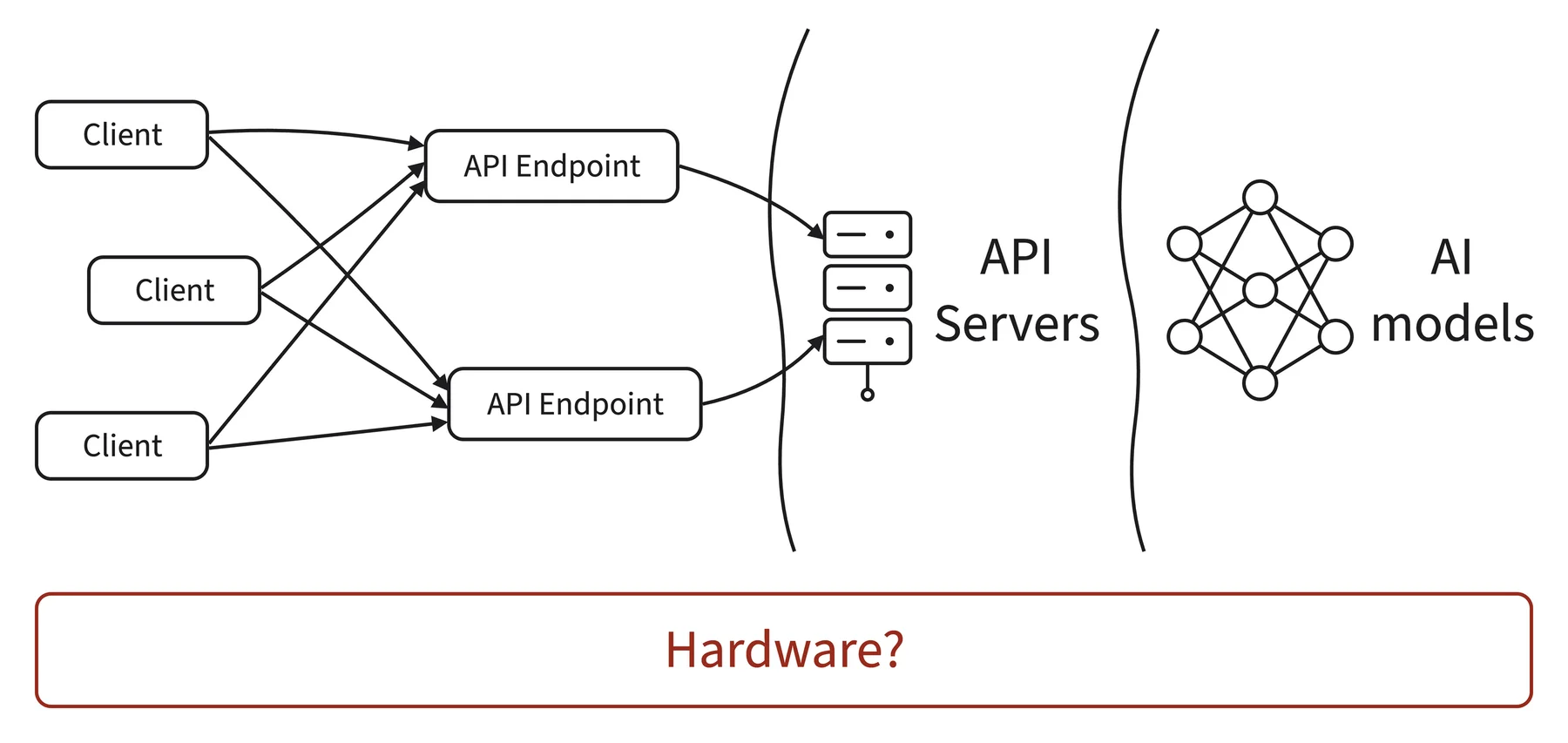
They are served by a kind of program called an API server, which sits at some address on the network, listens for incoming HTTP requests, decides what to do with each one, and sends back an HTTP response.
The provider runs the API server on their own hardware, exposes it under a domain name, and the rest of the world reaches it over HTTP.
We can do exactly the same thing on our own machine, just at a smaller scale.
Download the lecture slides for this module using this link.
In Module A.1 we treated APIs as something to poke at through browsers and API testing tools, which is great for getting a feel for what HTTP traffic looks like.
But we don't usually ship software in the form of "open Postman and click send."
Sooner or later, we want our own programs to talk to APIs on their own, especially when we want to bake AI capabilities into our applications.
In this module, we will write Python code that does exactly what we did in our API testing tool last time, plus a few more things that the testing tool cannot do.
We will start with the requests package as the basic tool for sending HTTP requests in Python, walk through sending requests and handling responses, and then look at common patterns that show up once we move beyond a playground: keeping API keys safe, sending images, and receiving streamed responses.
Download the lecture slides for this module using this link.
Interactions are common in both human society and the digital world. We as humans interact with each other through language to communicate our thoughts and purposes. In the digital world, a food delivery application interacts with restaurants to process your order and interacts with banks to ensure payment for the meal. Interactions between applications (AI or not) are what build the digital world we cannot live without. But how do applications interact with each other?
In the Introduction to Part A, we mentioned that there is a standardized method for streamlined interaction between applications, and that method is what we call Application Programming Interfaces (APIs).
If applications need to communicate like humans do but face barriers like different programming languages and different deployment infrastructure, APIs are like having a universal post office that knows where everyone lives and how they prefer to receive and send messages.